






In Supermarket Simulator, players step into the role of a shop owner, managing every aspect of their store. From ordering stock and organizing shelves to interacting with customers, one of the most crucial tasks is setting appropriate prices for the items you sell. Correct pricing ensures your business remains profitable while keeping your customers satisfied. If pricing feels overwhelming, don't worry—Supermarket Simulator incorporates realistic economic principles that you can use to your advantage. This guide will walk you through how to set prices efficiently and strategically, helping your store thrive.
Cheap Supermarket Simulator accounts are available for purchase at z2u.com for users who want to get started right away. These accounts provide extremely affordable costs and swift delivery for instant access to licensed products.
How to Set Item Prices
Once you acquire a license for a set of products, the first step is to assign prices to those items. There are two primary ways to do this in the game. The simplest method is to place items on shelves after ordering them. When products are stocked, a price tag will appear on the shelf edge. By clicking on this tag, you can access a small window where you'll find key pricing details: the unit cost of the item, a field to enter a custom price, an option for discounts, and the current market price. To set the price, type the desired value into the text box and click "Okay."
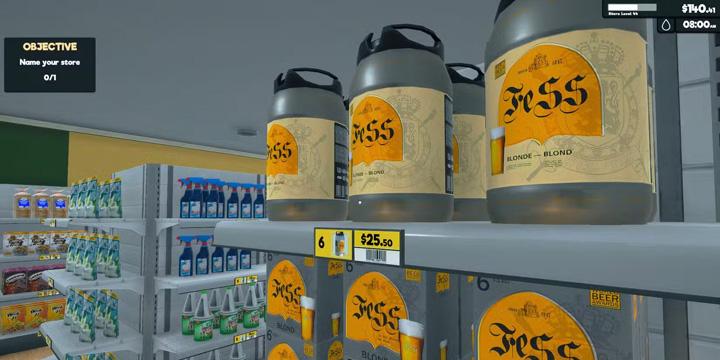
While this shelf-based method works well for a small inventory, it becomes cumbersome as your store grows. Luckily, there is a more efficient way. You can use the in-game computer and select the "Pricing" option, marked with a dollar sign. This feature lists all products covered by your license and provides detailed information for each item: cost, market price, recent changes in market price, whether prices have risen or fallen, and spaces to enter your selling price or apply discounts.
The computer-based interface allows you to quickly see which products require attention. Items with a red indicator have experienced a recent drop in market price, while green indicates a price increase. Adjusting these items promptly ensures your prices remain competitive and profitable.
Find the Right Price Point
When setting prices, it's important to strike a balance. Price an item too high, and customers may choose not to buy it; too low, and your profit margins could shrink, jeopardizing your store's financial health. The ideal strategy is to find a price that maximizes profit while remaining attractive to customers.
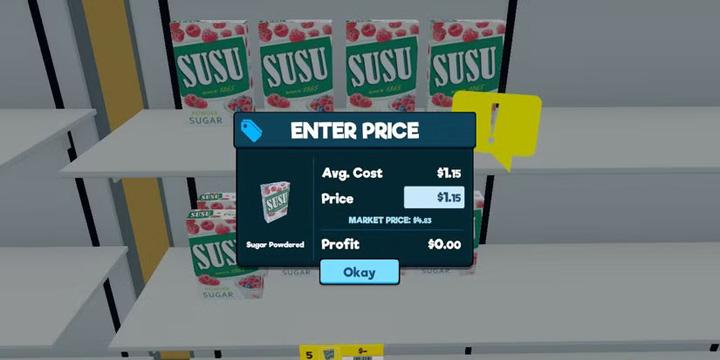
To do this, you need to examine two key numbers: the cost and the market price. The cost represents what you paid per unit, even though products are purchased in bulk. While you want to avoid selling items at cost, it's equally important not to set prices significantly above market rates. The market price reflects what other sellers charge, and while the game doesn't have active competitors, it provides a useful benchmark. Pricing far above the market may deter customers, while setting a price slightly below it can attract steady business.
For newcomers, a safe starting point is to price products a few cents below the market price. This approach helps ensure customers feel they are getting good value while maintaining healthy profit margins. As a general guideline, aiming for approximately $0.20 above your cost is a reasonable practice. However, the game encourages experimentation. Over time, you can adjust prices to better suit your store's demand patterns and customer preferences.
Monitor and Adjust Prices
Prices are not static, either in the game or in real life. Market conditions can change, and your store must adapt to remain competitive. Supermarket Simulator provides tools to track these fluctuations. On the computer pricing screen, any product with a red indicator signals that its market price has fallen, suggesting a price reduction. Conversely, green indicators show items that may command a higher selling price.
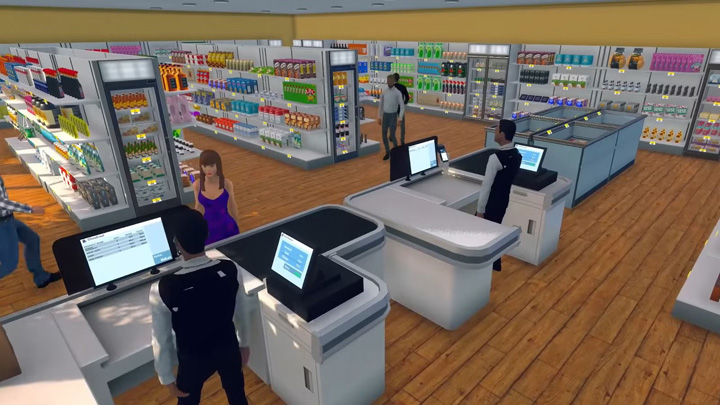
Beginners may find it easier to maintain prices slightly below the market rate, as this reduces the risk of losing customers while still making a profit. However, as your store expands and your customer base grows, you may want to adjust prices more dynamically. Factors such as supply and demand, seasonal changes, and customer behavior can influence how you price each item. The key is to observe trends, respond appropriately, and experiment with different strategies to find the optimal balance.
For those looking to advance faster, you can buy Supermarket Simulator account from Z2U, which offers affordable rates and rapid delivery so you can start playing with advanced features immediately.
Conclusion
By carefully balancing costs, market trends, and customer satisfaction, you can develop a pricing strategy that ensures your supermarket thrives. While there is no one-size-fits-all approach, paying attention to market indicators, monitoring customer behavior, and continually refining your strategy will help you achieve long-term success in Supermarket Simulator.









ПОДДЕРЖКА
ЮРИДИЧЕСКИЙ






 USD ($)
 English
  центр помощи