


What is Z2U Privacy Password?
What is a Privacy Password, and what is its purpose?
The Privacy Password is a secondary security password for your Z2U account, completely independent of your login password. It acts as the ultimate defense mechanism protecting your digital assets and core security configurations. To ensure the highest level of account security, the system will strictly require this password when performing sensitive operations, including:
1. Asset & Financial Transactions: Paying with account balances, withdrawing funds, and manage seller storage.
2. Advanced Security Modifications: Enabling, modifying, or resetting Multi-Factor Authentication (MFA, e.g., Google Authenticator).
You can configure or manage it at any time by navigating through the following path:
Log in to your Z2U account → Click on Settings → Go to Security Settings → Locate Privacy Password to enable or reset it.
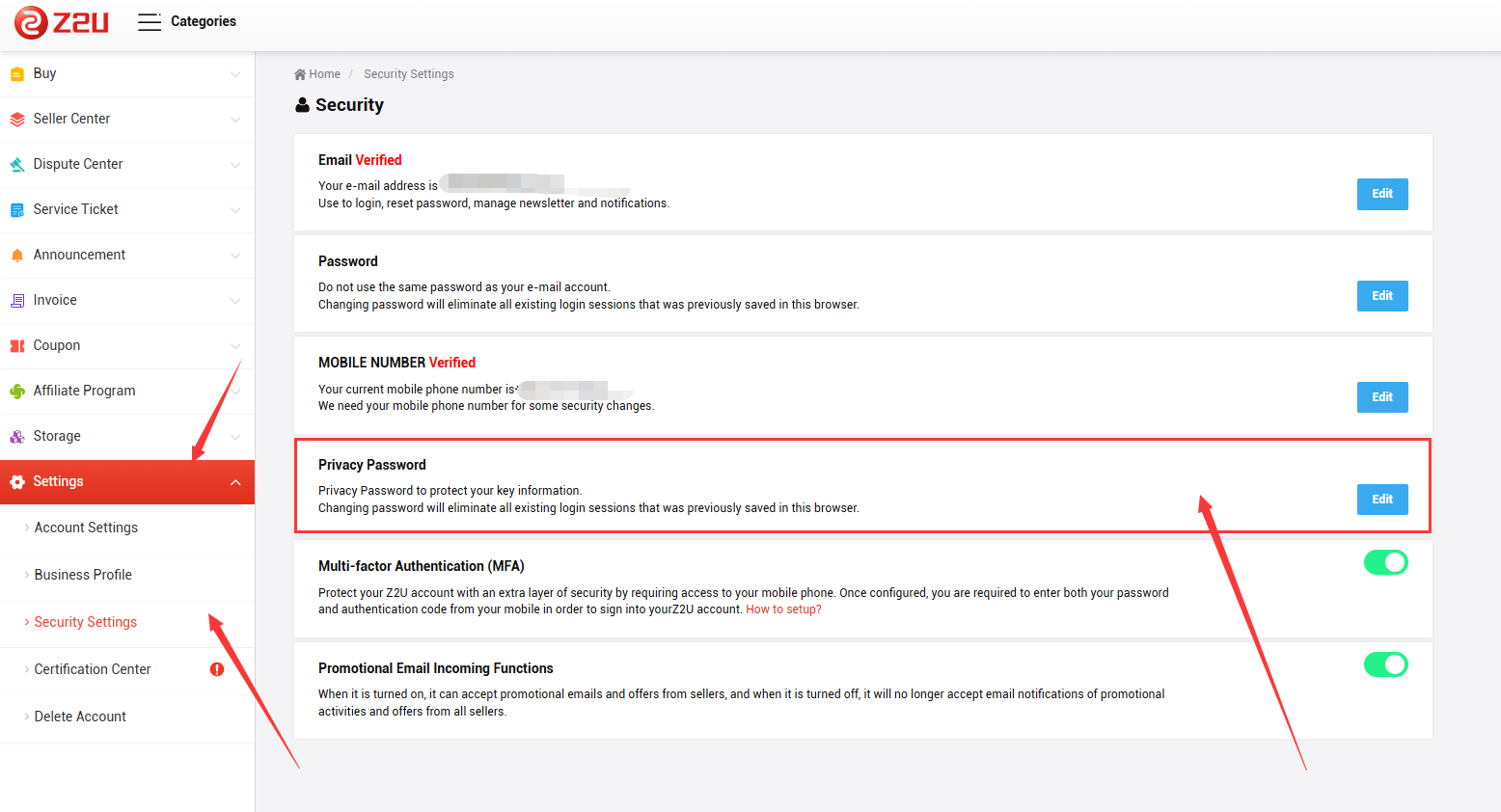
Important: For your account safety, we do not suggest you to set a Privacy Password that matches your login password. Furthermore, we strongly advise against using weak, sequential numbers (e.g., 123456) or your date of birth.
What should I do if I forget my Privacy Password?
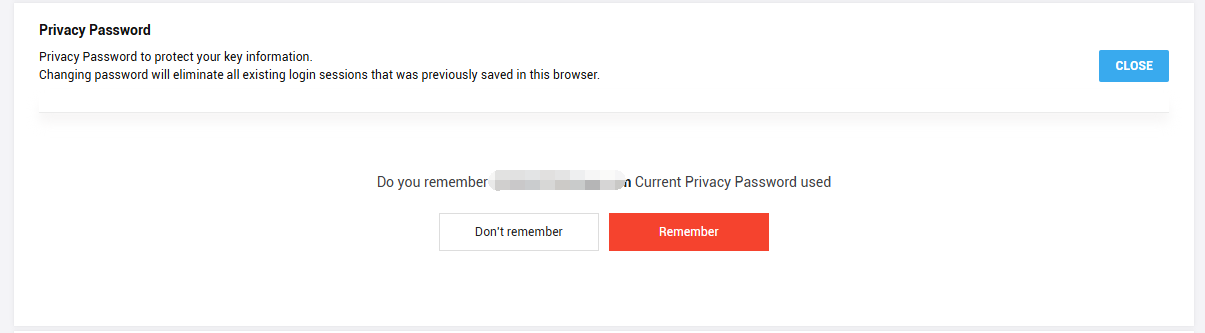
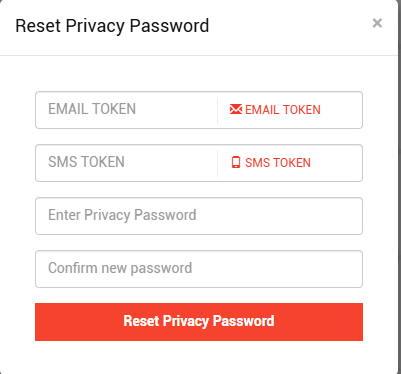
If you forget your Privacy Password, you can click "Forgot Password" on the security setup page. The system will send a verification code to your registered security email and phone number for a reset.











ПОДДЕРЖКА
ЮРИДИЧЕСКИЙ
Политика






 USD ($)
 English
  центр помощи