


How do I contact the buyer?
Buyer and seller can communicate with each other through leaving messages in worksheet and live chat on z2u website.
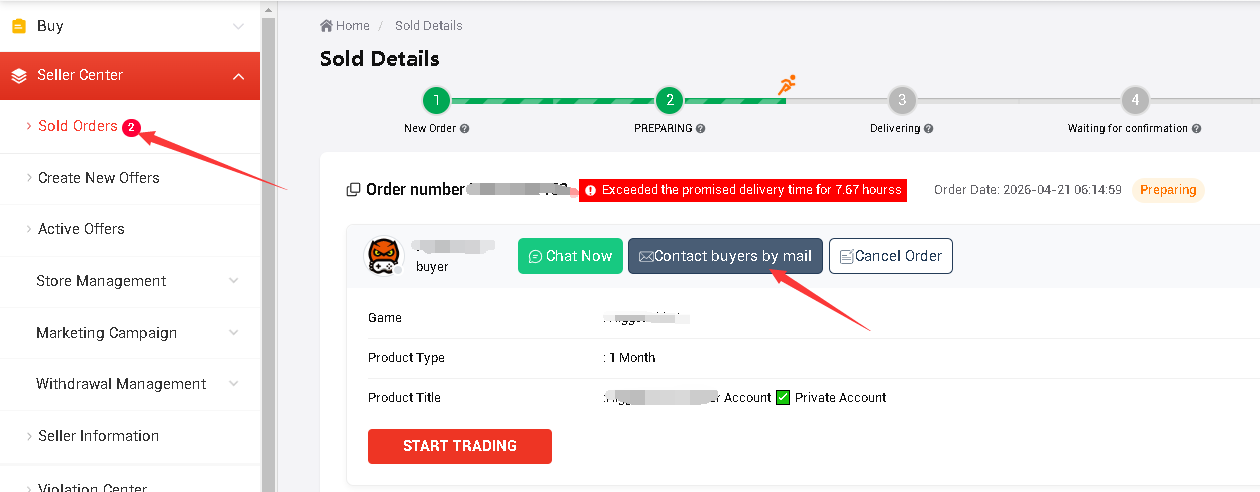
How to contact buyer through email:
Sellers can find the button that Contact buyers by email on the order details page.
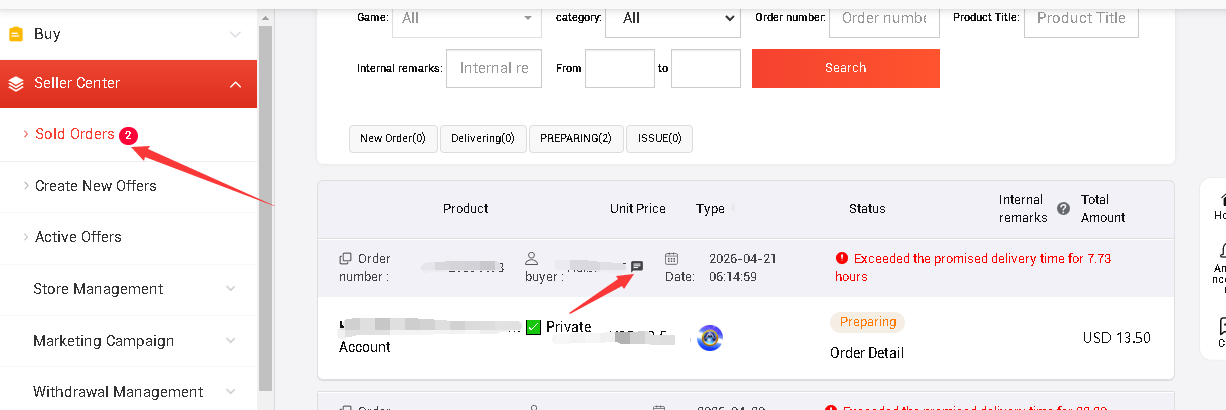
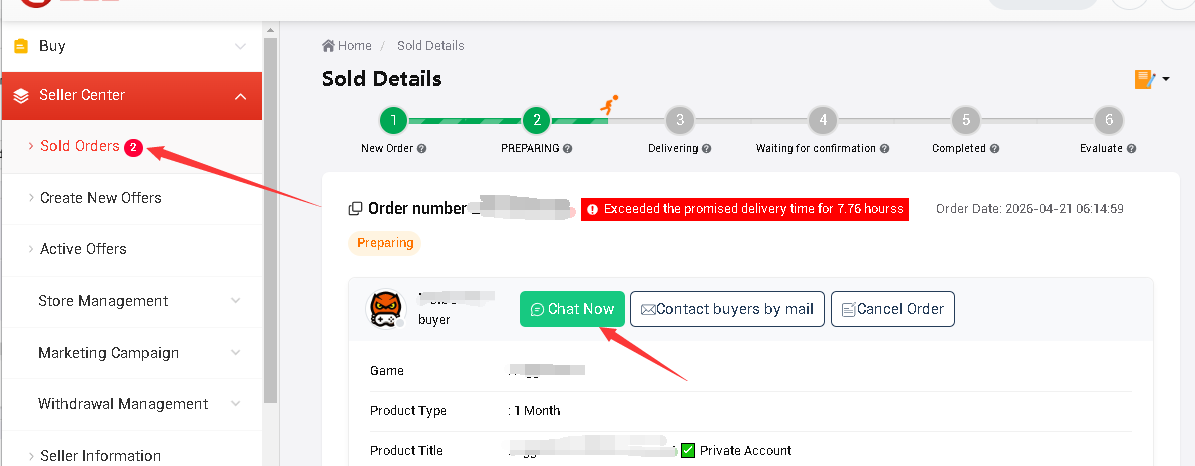
How to contact Buyer through Live Chat:
You can find the live chat button( Chat Now ) on the right side of buyer's name (Next to the worksheet button) in the sold orders list.
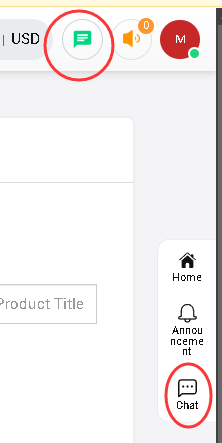
To check your messages, you can find the chat button on the top banner or right navigation bar.
The chat function still in test, please let us know if you met any bugs or problems when chatting. Our support email : [email protected]
도움이 될 것 같아요??











지원
법률
정책






Copyright © 2026 Z2U.com All rights reserved E-mail: [email protected]
Company: Macro Excellence Technology Limited Address: FLAT A516, 5/F, EFFICIENCY HOUSE, 35 TAI YAU STREET, SAN PO KONG, KOWLOON, HONG KONG
 USD ($)
 한국어
한국어  도움말 센터