


1000
 Transparent Sticky Notes Account - Microsoft(Full Access) - Global

Global
다음에서 활성화할 수 있습니다.United States
확인 지역 제한

Microsoft Store
Activate/Redeem/Trade on Microsoft

Account Ownership Transfer
Players to purchase a pre-existing game account,the full ownership and control of the account are transferred to the buyer, who can then log in and access all the account's resources.
작동 대상:
Windows
중요 공지
The content and authorization of this product are the seller's responsibility. Z2U, as a third-party trading platform, has no affiliation with any service provider. We do not endorse the product trading without the permission of the copyright owner, and strongly recommend that buyers confirm the legality of the service.

작동 대상:
Windows

이 버전의 제품은 다음에서 활성화할 수 있습니다. United States
제품 지역은 다음과 같이 제한됩니다.:
Global
귀하의 국가:
United States
이 제품 버전에 허용되는 국가 목록:
제품 설명
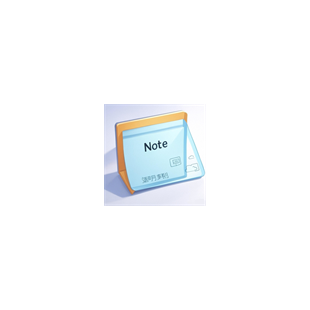
Transparent Sticky Notes is a lightweight and elegant desktop note-taking app. It features a translucent paper effect and soft shadows, allowing it to be placed unobtrusively anywhere on your screen. It's perfect for quickly jotting down ideas, tasks, and impromptu notes. It supports multiple windows, multiple colors, and adjustable transparency. Data is automatically saved and persists, maintaining its original position and size even after restarting.
Key Features
Multi-window sticky notes: Open and use instantly, drag and drop to position, and automatically remember window size and position.
Six color themes: Yellow / Green / Blue / Pink / Orange / Purple
Adjustable Transparency: Use the slider at the bottom to adjust the overall background transparency in real time (0.5–1.0).
Pin to Top: 📌 keeps the current note always on top, perfect for copying/referencing.
Reminders and Schedulers: Set a reminder time, which will be notified with a notification and a gentle beep, and the border will be highlighted.
Quick Edit/View Mode: Switch between modes with one click to avoid accidental edits.
Autosave: Input, moving, and resizing are automatically saved locally.
Convenient Operations: Clearly visible buttons for creating, minimizing, deleting, and closing; commonly used shortcuts supported.
Privacy and Localization: All data is saved locally in notes.json, no login required.
Useful Scenarios: Temporary notes, daily to-do lists, meeting/call summary cards. Small reference cards that stay on top for copying/referencing.
Set short reminders to avoid missing important moments.
Simple, focused, and ready to use right out of the box, making note-taking as natural as sticking a note.
 GamerProtect로 안전하게 쇼핑하세요
더 많은 Software & Apps 계정을 찾고 계십니까?주요 Software & Apps 계정 카테고리를 방문하십시오.









지원
법률






Copyright © 2026 Z2U.com All rights reserved E-mail: Support@z2u.com
Company: Macro Excellence Technology Limited Address: FLAT A516, 5/F, EFFICIENCY HOUSE, 35 TAI YAU STREET, SAN PO KONG, KOWLOON, HONG KONG
 USD ($)
 한국어
한국어  도움말 센터