


I purchased a new account, how do I receive it?
The new account order on Z2U.com, you should following steps below to find the information.
-
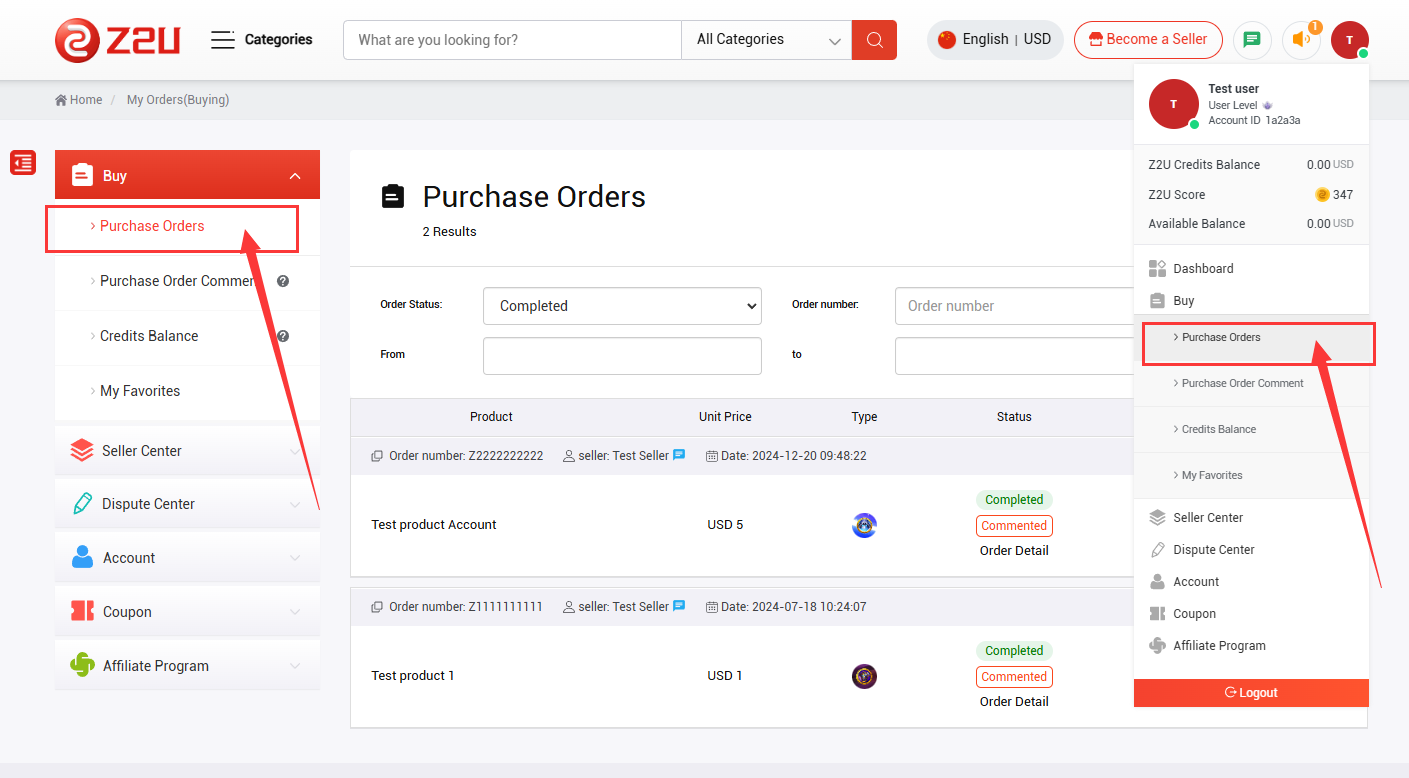
Login to Personal Center and find Purchase Orders
2. Search and find the related order, click Order Detail or the order number function.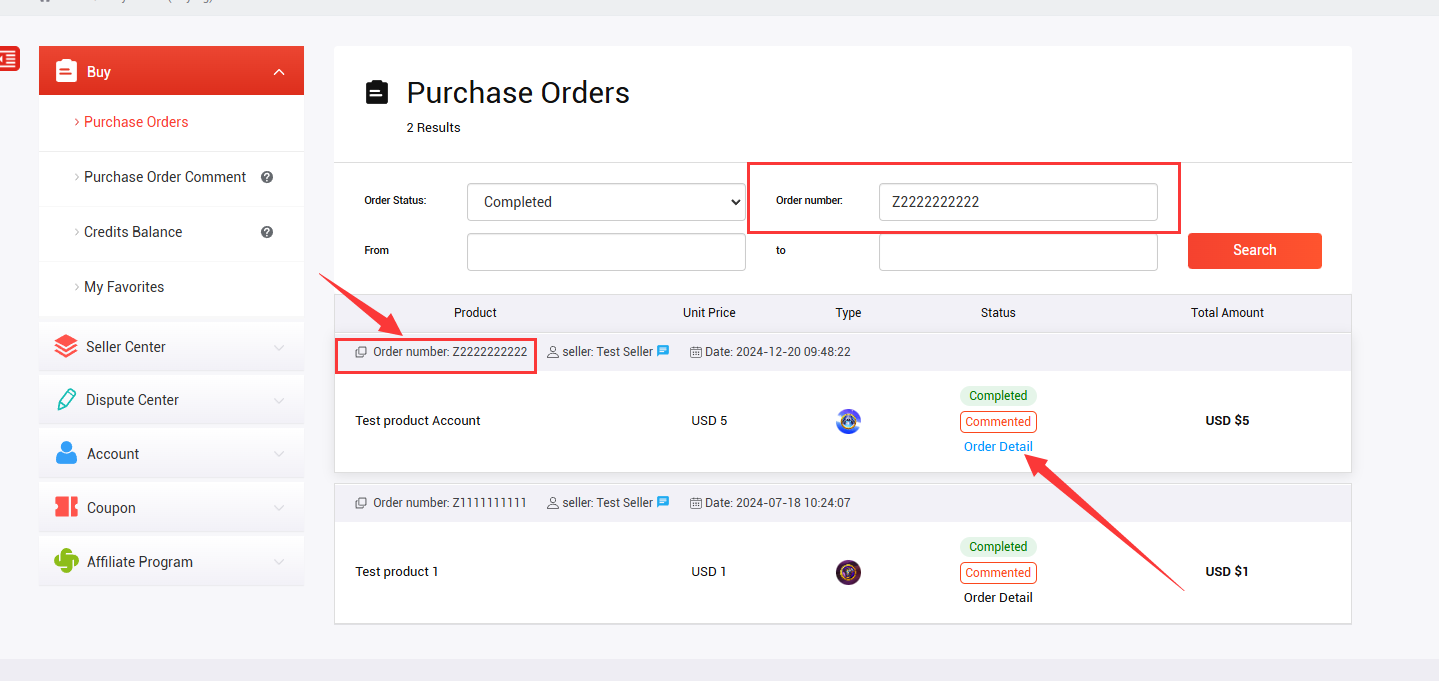
3. Find the purchased account information on the Purchase Details page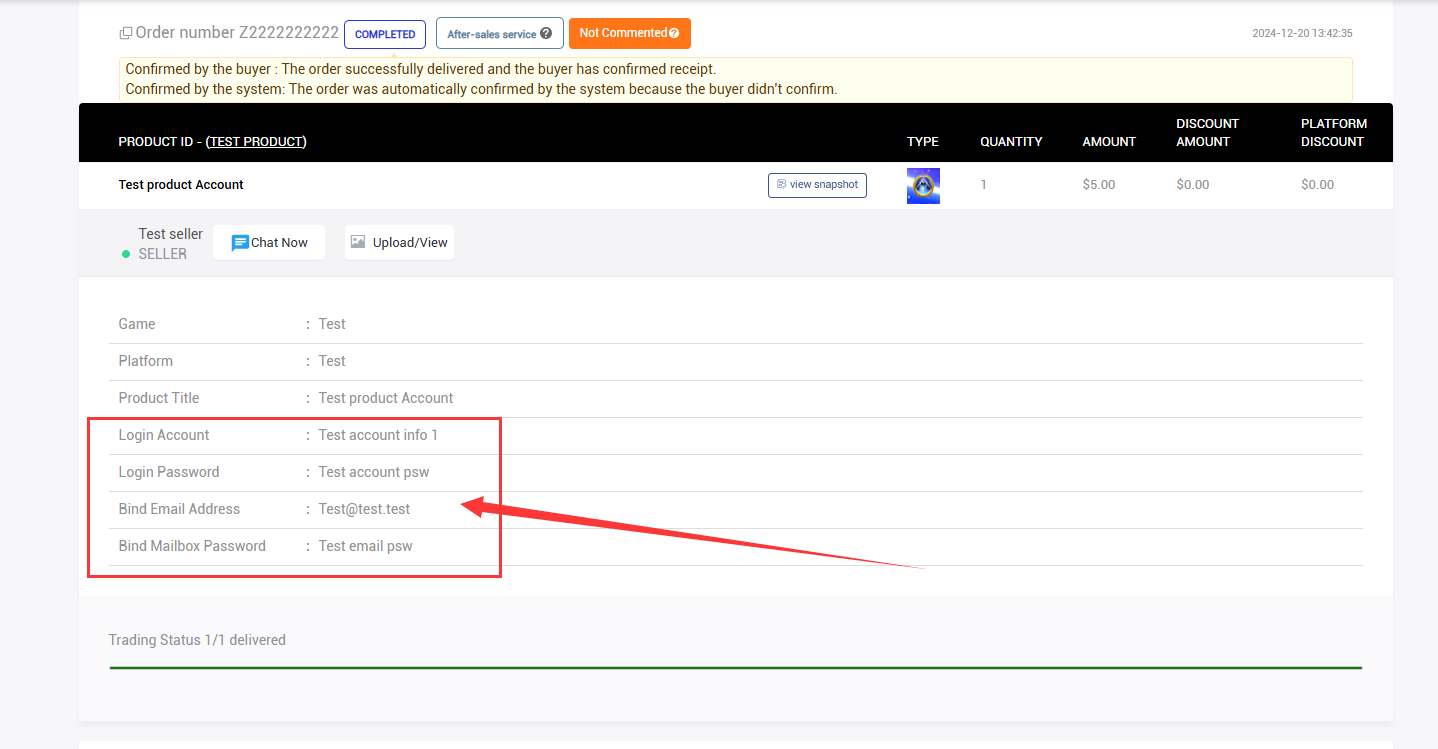
When purchasing multiple accounts, you can view and download the Delivery Information form sent by the seller.
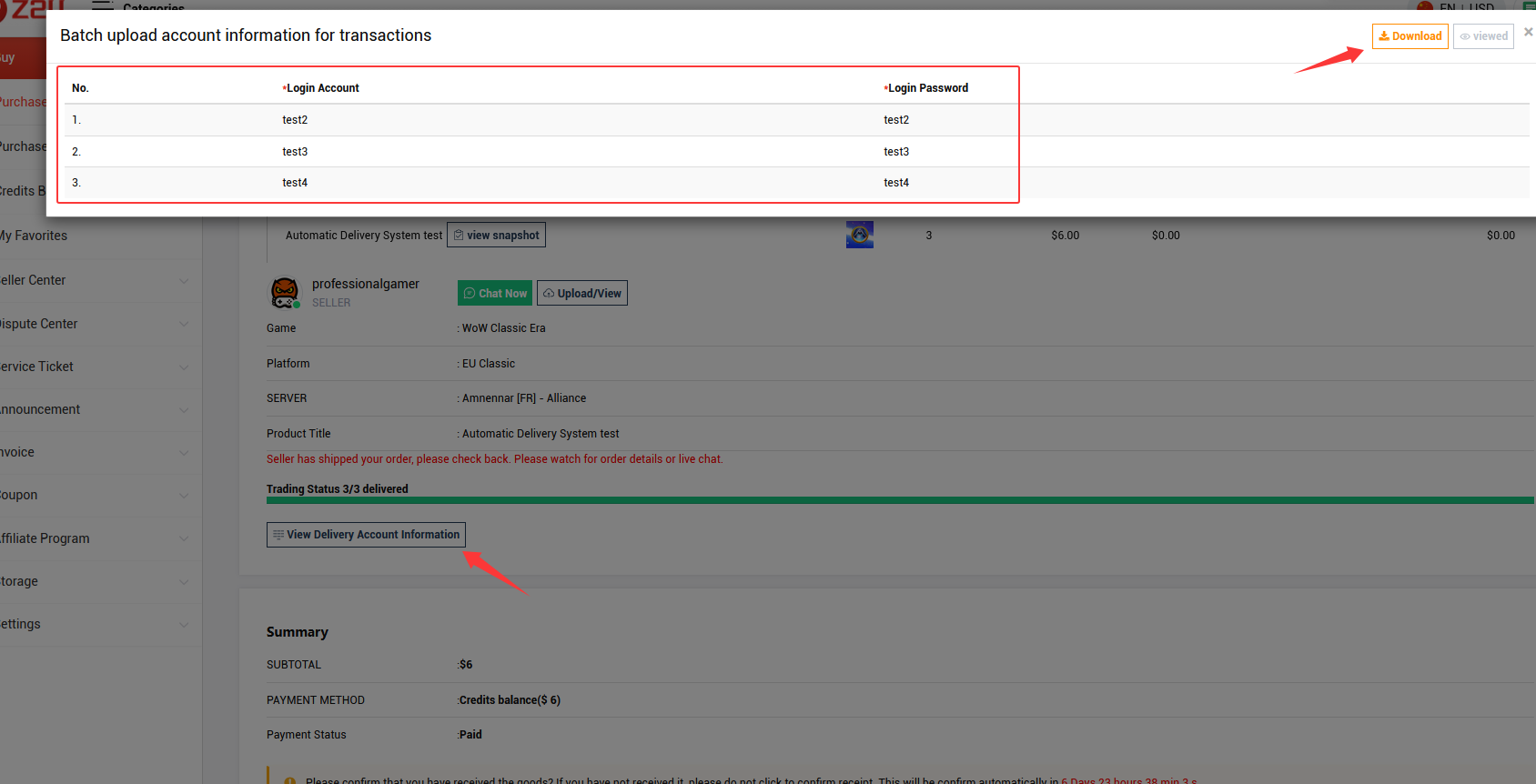
Sometimes, you will see this prompt on the order details page, this means the account information is sent through the Auto-delivery system, and you will be able to find the information on the Z2U chat system. Click Chat Now will directly bring you to the chat and check the delivered information.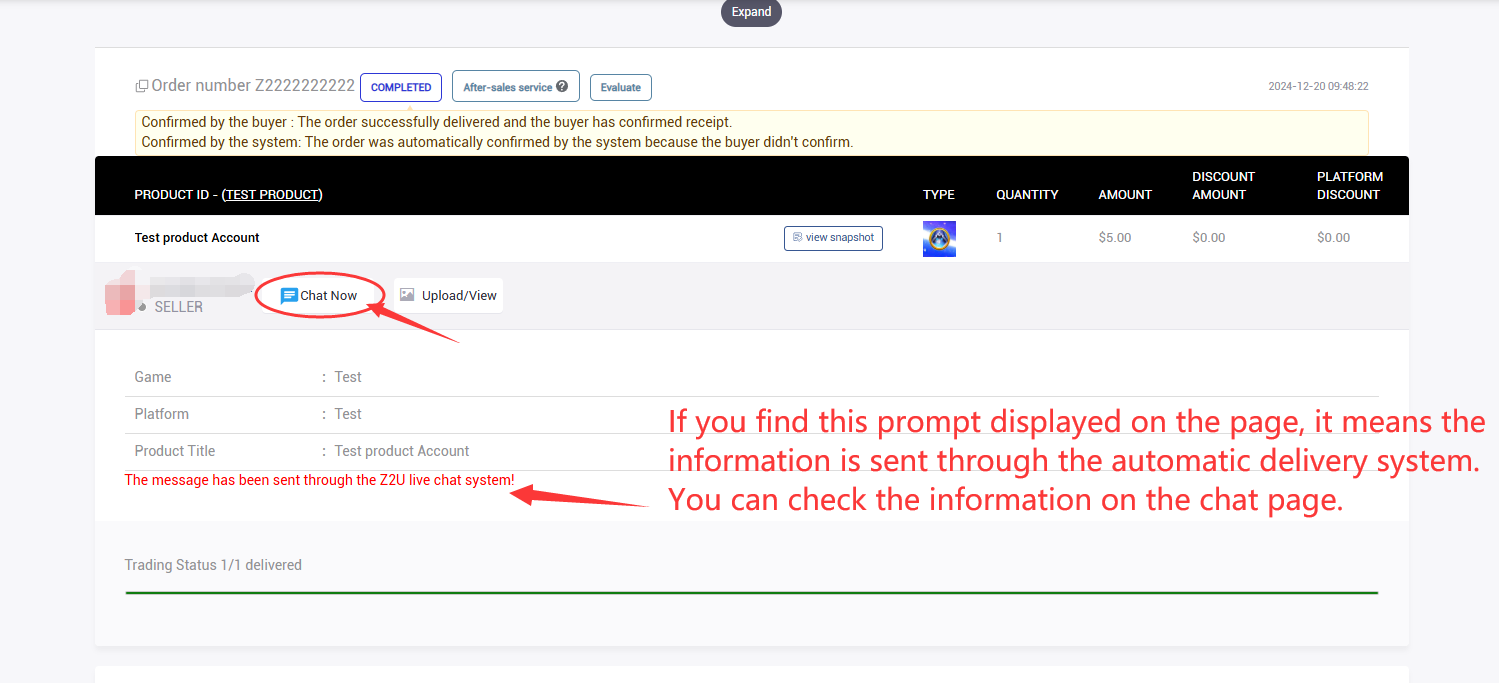
Copy the link in the auto-delivery content and open it in the browser.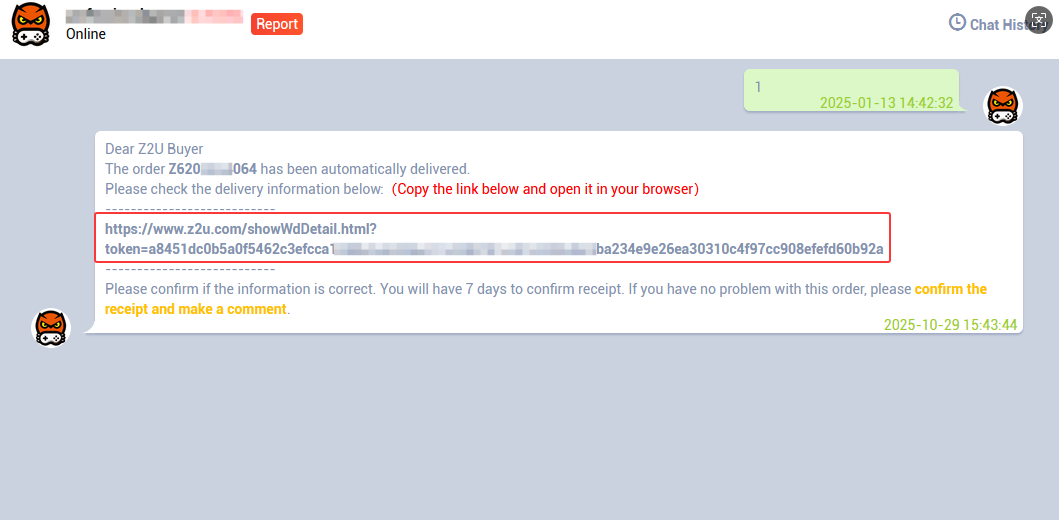
Please note: Only information sent through the Auto-delivery system will be sent via email to the email address associated with your Z2U account.
4. Check whether the information is correct, if there is no problem, you can choose to Confirm Receipt.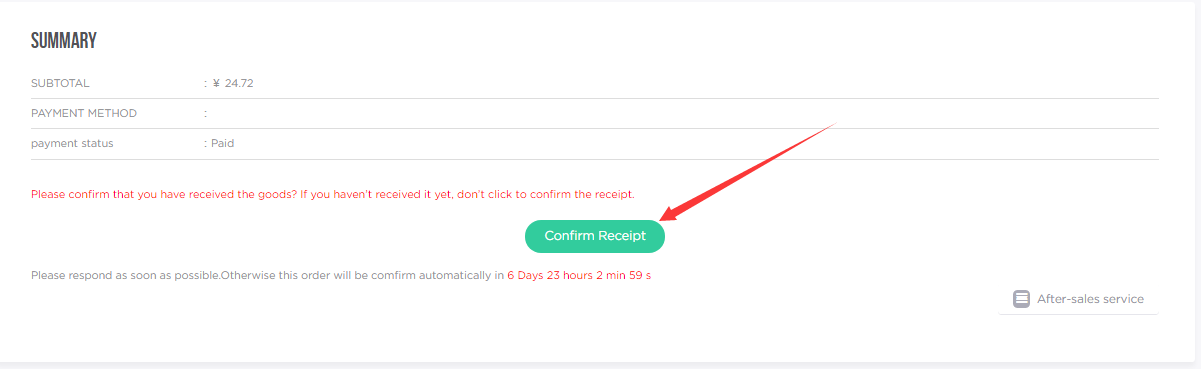
If you find that the purchased account information does not match the description or there are other problems, please do not confirm the receipt, and immediately Contact the Seller.











ПОДДЕРЖКА
ЮРИДИЧЕСКИЙ
Политика






 USD ($)
 English
  центр помощи