


Tutorial of unseal cloud syncing in Rainbow Six Siege
Tutorial of unseal cloud syncing in Rainbow Six Siege
Step1: Open Microsoft store,find and insall "Xbox".
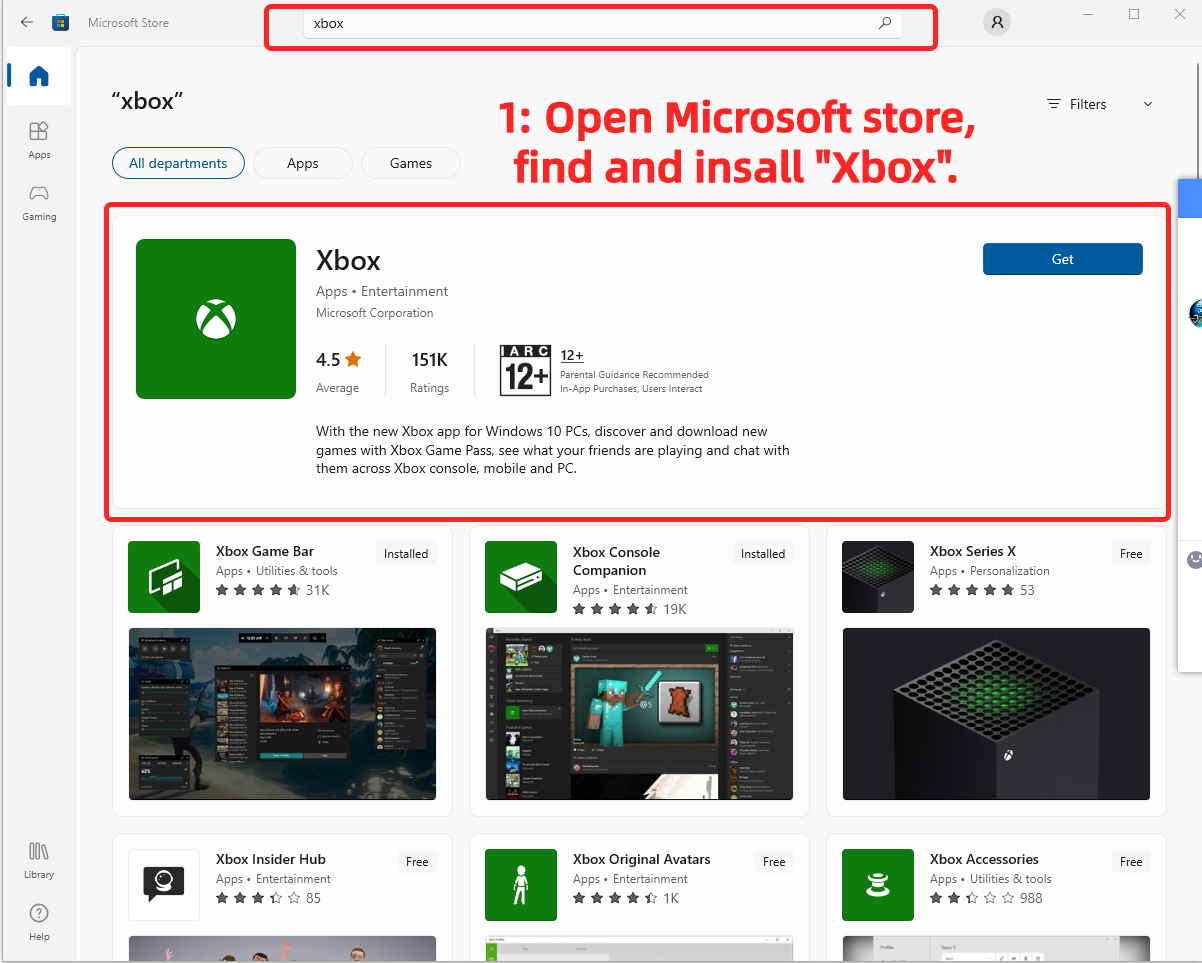
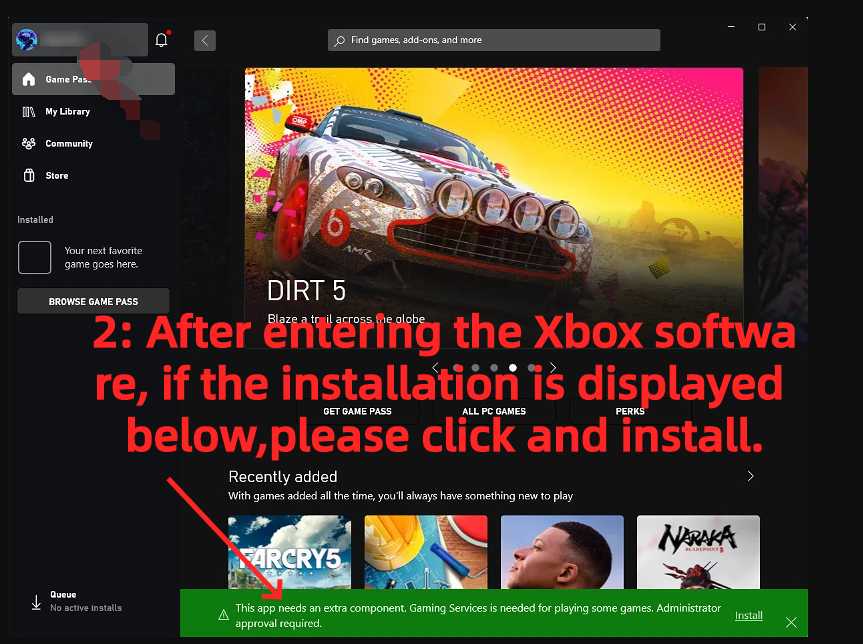
Step 2: After entering the Xbox software, if the installation is displayed below,please click and install.
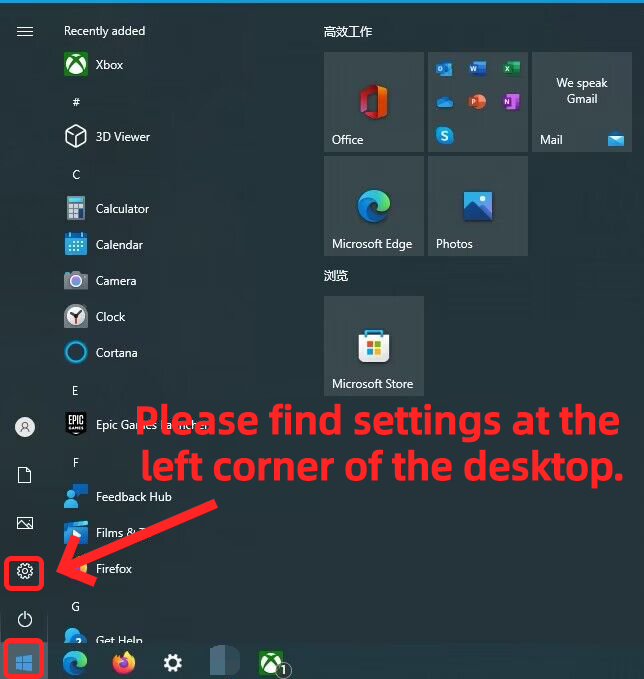
Step 3: Please find settings at the left corner of the desktop.
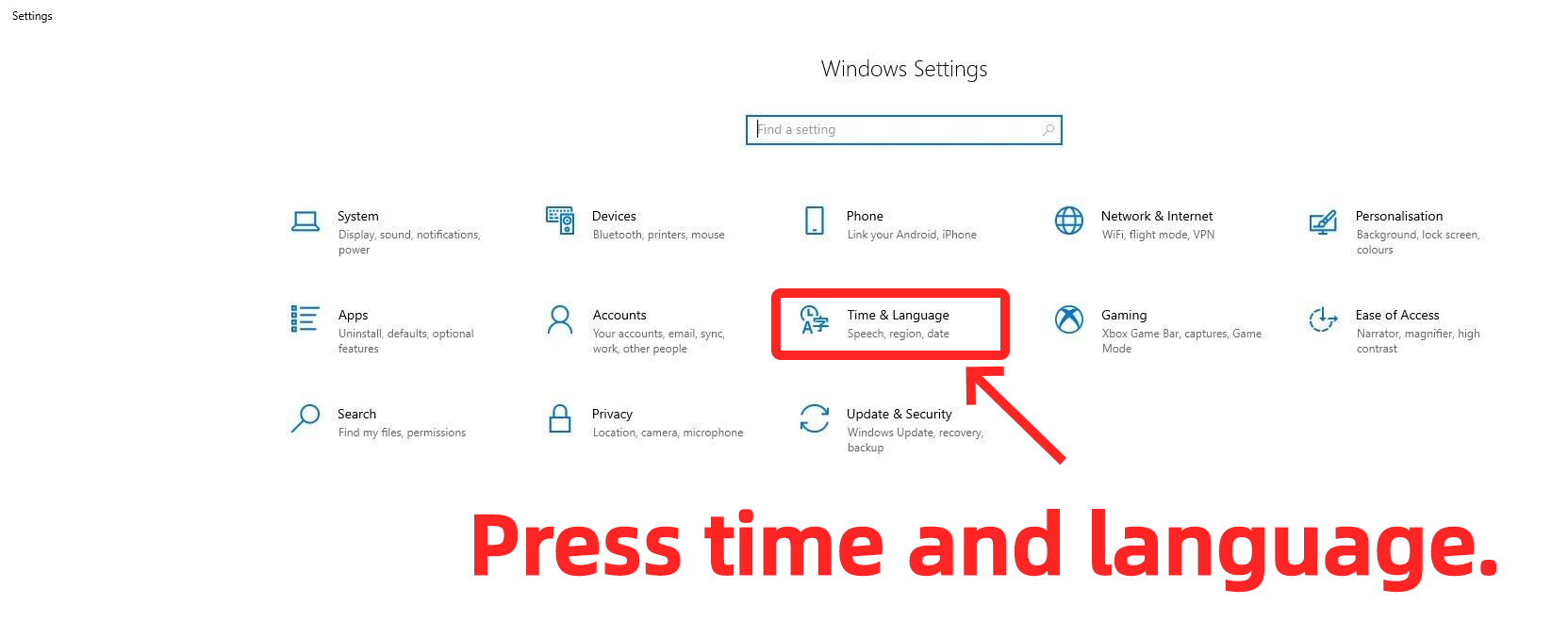
Step 4: Press time and language.
Step 5: Please make sure your country or region are in the following list. If not, please change to an available country.
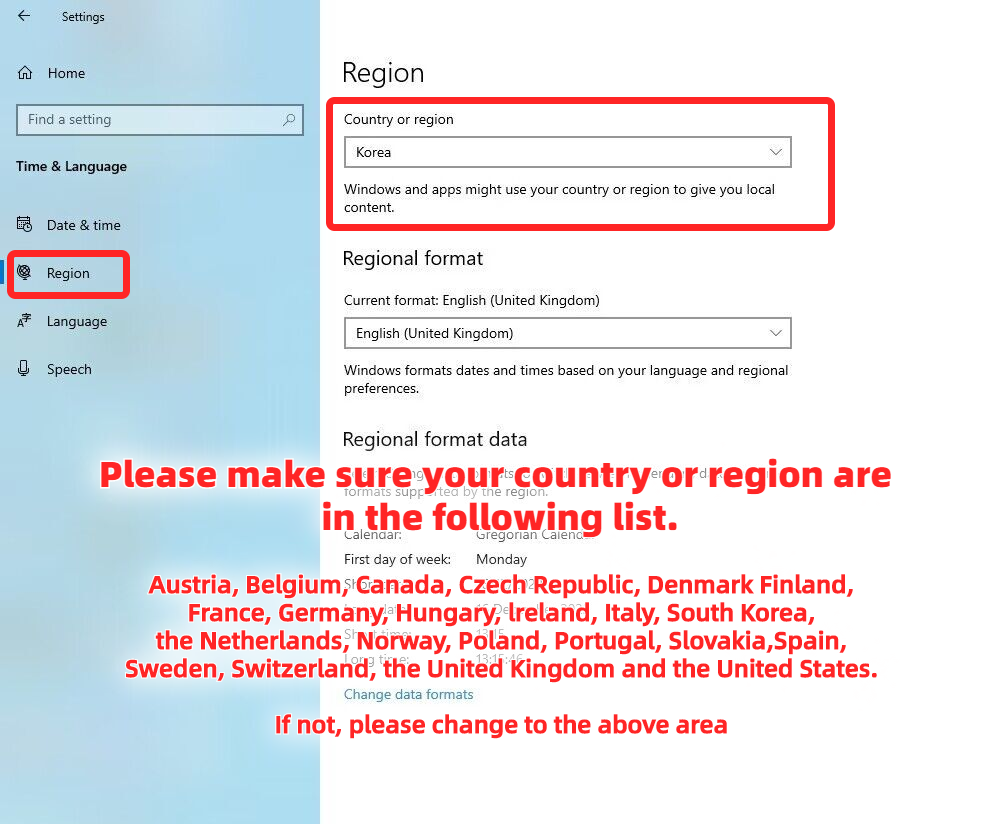
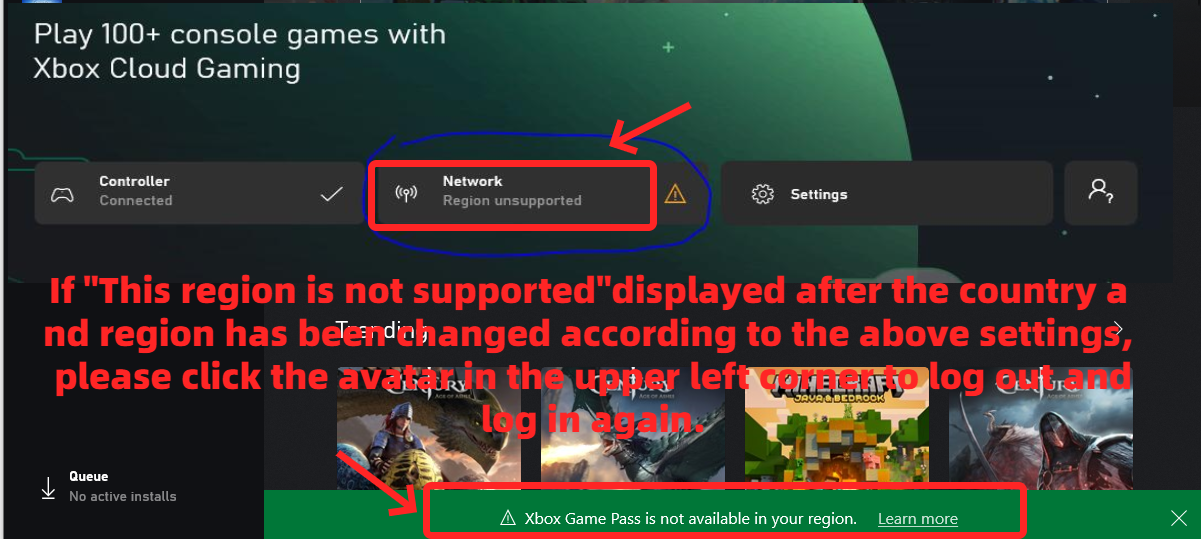
Step 6: If the region is not supported after the country be changed, please log out then sign in again.
Step 7: After you signed in again, please connect the controller.
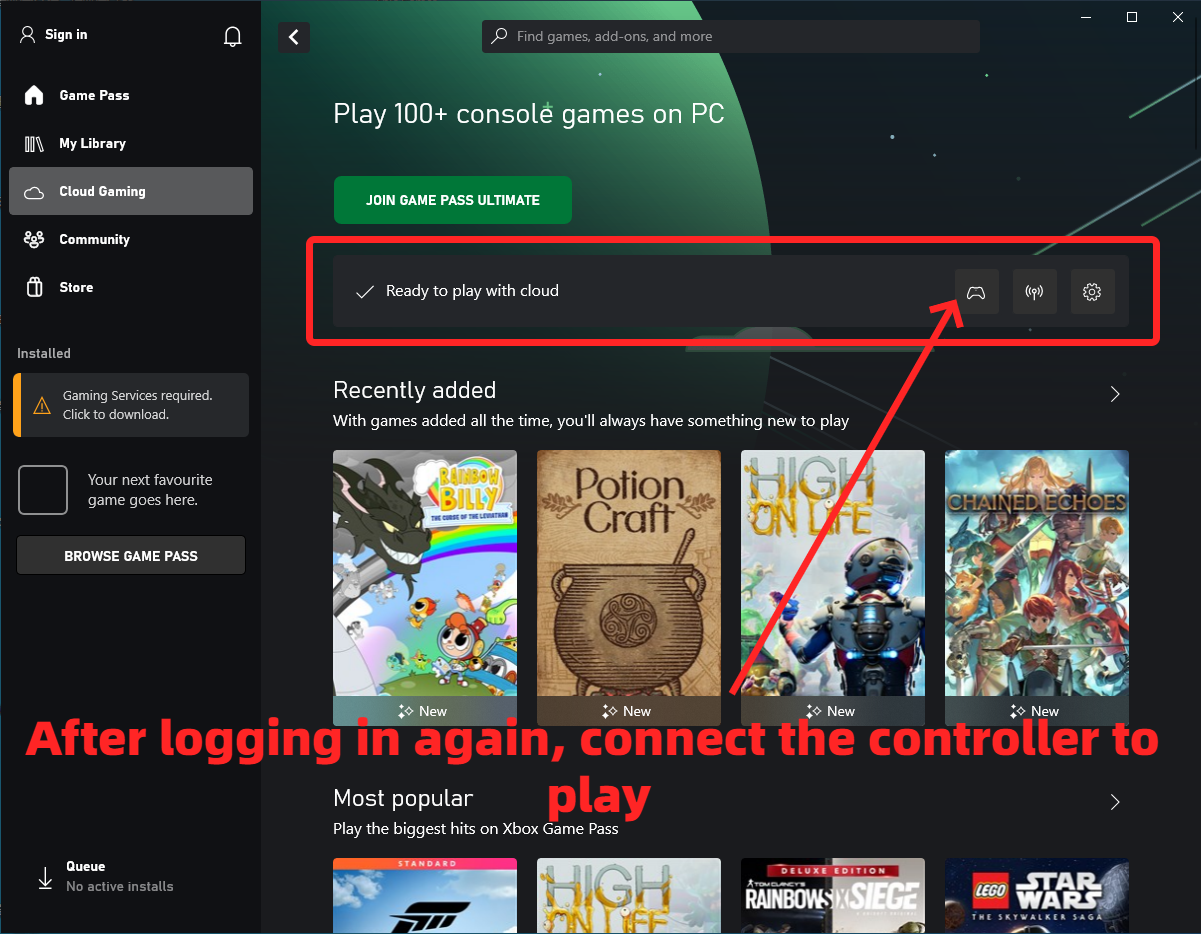
Note: If you don't have a controller, check this guide to know How to use mouse and keyboard on xCloud











지원
법률
정책






 USD ($)
 한국어
한국어  도움말 센터