







Unstable Molecules are a key resource in Marvel Rivals, the explosive new team-based PVP shooter where Marvel heroes and villains clash. This guide will show you how to get and use them. For players looking to instantly unlock their favorite characters and dive into the action with a head start, Buy Marvel Rivals Account from Z2U is the fastest path to assembling your ultimate squad.

Ways to Get Unstable Molecules in Marvel Rivals
The primary and most consistent method to acquire Unstable Molecules is by progressing through the seasonal Battle Pass. They are strategically placed as claimable rewards across multiple tiers, providing a steady stream of this currency for active players. Additionally, the game's regularly scheduled special events serve as another highly reliable source. These limited-time engagements almost invariably offer multiple opportunities to collect Unstable Molecules simply by completing their unique challenges and missions.
For those seeking a more immediate option, Unstable Molecules can be directly purchased using Lattice, the premium currency, at a fixed 1:1 exchange rate. However, the most efficient and cost-effective strategy overall remains focused engagement with the Battle Pass and every available event. By dedicating time to these activities, players can accumulate a significant quantity of Unstable Molecules without spending any real-world funds, as the game generously distributes them through these free-to-play avenues.
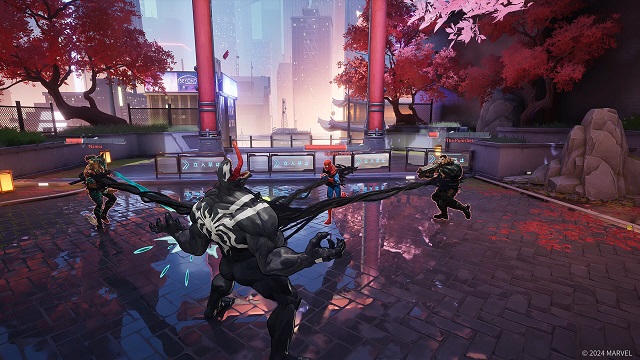
The Purpose of Unstable Molecules in Marvel Rivals
Unstable Molecules serve as the exclusive currency for personalizing select character skins. The type and extent of customization available vary significantly from one skin to another, as this advanced feature is not universally applied. It is predominantly offered on high-tier Legendary skins, though a select number of Epic-rarity outfits have also been granted limited customization capabilities.
The primary application of these Molecules is to alter the core color scheme and patterns of an outfit. Beyond simple recolors, certain premium skins offer more profound modifications, such as purchasing unique visual effects (VFX) for a character's ultimate ability. Crucially, Unstable Molecules have a singular purpose within the game's economy: they are dedicated solely to these skin customizations and cannot be used for any other upgrades, purchases, or conversions, making them a specialized resource for cosmetic enhancement.
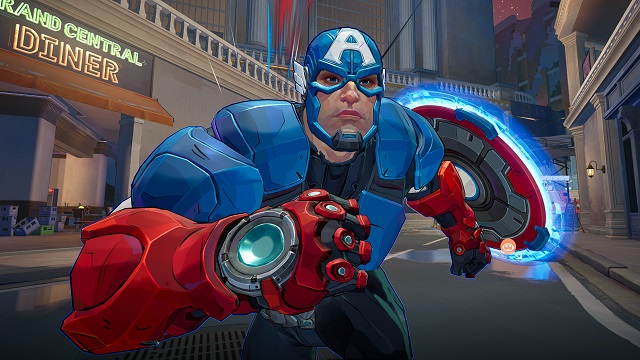
How to Use Unstable Molecules in Marvel Rivals?
The process for spending your Unstable Molecules varies slightly depending on how you acquired the specific skin you wish to customize, leading to a few different in-game paths. This system can be somewhat difficult to locate initially, particularly for players who are not yet accustomed to the menu navigation. The most universally applicable and typically simplest method is to start from the Heroes tab on the main menu, as this provides access to customization for all eligible skins, no matter their source.
Navigate to and select the Heroes tab. You can find it as the fourth option from the left on the main menu bar, positioned directly between the Events and Store sections.
From your roster, choose the specific character whose skin you wish to modify.
Once on the character's screen, switch to the Cosmetics tab to view all available outfits for that hero.
Browse through your unlocked outfits and select the exact costume you intend to customize.
Look for and click the Customize button, typically located in the lower-right corner of the skin preview. If this button is absent, it means the selected outfit does not support any form of customization.
Within the customization menu, you can then purchase your desired options, such as alternate Chromas (color schemes) or unique ultimate ability VFX effects, using your Unstable Molecules.
The second primary method for accessing the skin customization feature is directly through the in-game Store page.
Begin by opening the main Store tab from the central navigation menu; it is the fifth option from the left, positioned directly between the Heroes and Tournament sections.
Once inside the Store, scroll down until you locate the dedicated Newly Customizable area, which conveniently displays a curated list of skins with available modifications for preview.
-
From this list, select your preferred skin and then click the prominent Customize button associated with it to enter the personalization menu.
You won't find the full range of customizable skins on this shop page, as it only lists the most recent arrivals. Skins from past events are also absent, so using the Heroes tab remains the most reliable method to browse all available options and spend your Unstable Molecules wisely. Now that you've personalized your look, jump into battle to showcase it. While you're there, consider pursuing key achievements like Grand Garden Gator, Lost in The Game, The Defenders, Prank of Monkey King, and Blueprints Supreme to add to your accolades.
This guide has equipped you with the knowledge to farm Unstable Molecules effectively. To save valuable time and focus on gameplay, a great alternative is to Buy Marvel Rivals Items directly. You will find Z2U offers a reliable platform for your transactions. Start building your ultimate hero lineup today.









SUPPORT
LEGAL
Policies






 USD ($)
 English
  Help Center