





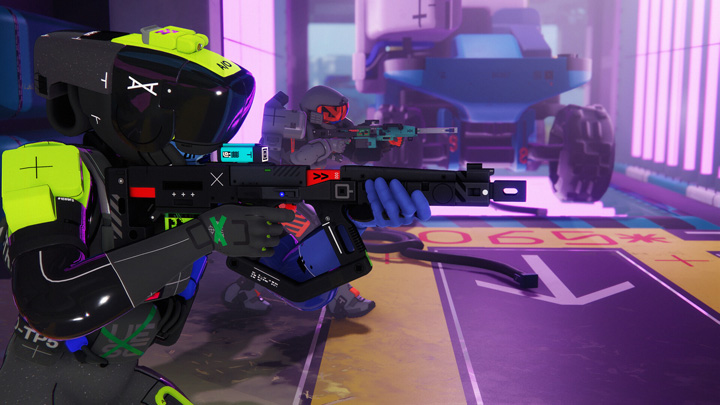
Bungie's Marathon has finally entered the public eye with its Server Slam playtest — a large‑scale technical preview designed to stress the game's backend before launch. While the core gameplay shows promise with its sci‑fi extraction shooter loop and faction-driven PvP/PvE encounters, early players have run into a range of hiccups, from confusing UI elements to persistent mouse cursor problems and server connection errors. Below, we break down what you need to know as a new runner stepping into the world of Tau Ceti IV.
1. Getting Past the Initial Hiccups
The first thing many new players encounter is trouble simply navigating the menus — particularly when the mouse cursor refuses to show up, disappears, or doesn't respond properly. This bug has been widespread among PC players during the Server Slam, affecting everything from accepting the EULA to picking your loadout.
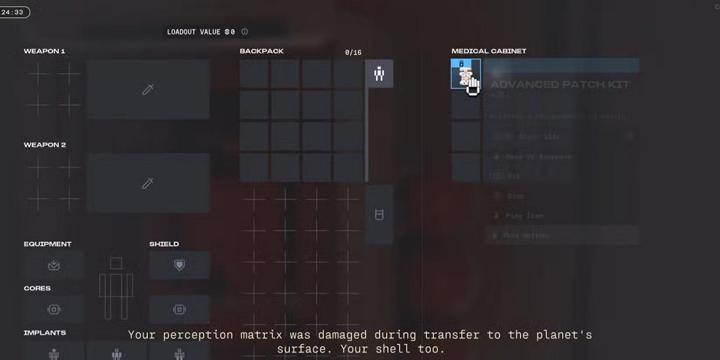
Quick fixes worth trying:
Disable overlays like the Steam overlay and Discord overlay — these are frequently linked to cursor input problems.
If you're streaming or recording, capture your full desktop or screen instead of just the Marathon game window — game‑specific capture modes can interfere with input.
Play in windowed mode rather than fullscreen — this has helped some players regain cursor control.
For persistent issues, try closing Discord entirely before launching the game — many players report this finally fixes the mouse bug.
Some players even use a controller as a temporary workaround if the mouse refuses to cooperate, particularly for navigating menus and inventory.
Pro tip: If you want to jump straight into action without spending too much time on early progression, you can buy Marathon CD Keys from Z2U, giving you access to a ready-to-go roster and equipment.
2. Don't Panic Over Server Errors
Another frequent nightmare is the infamous error codes — especially Currant, which tends to pop up when servers are overloaded. These codes often suggest “network issues,” but in many cases they stem from server‑side congestion during peak playtest times rather than anything wrong with your connection.
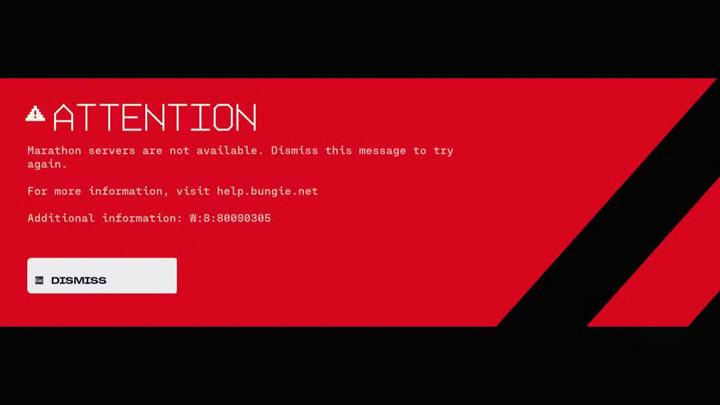
Tips for dealing with connection errors:
Restart the game client — this generates a fresh token and often lets you rejoin quickly.
Switch to a wired connection if you're on Wi-Fi — while this doesn't fix server problems, it can eliminate packet loss on your end.
Disable VPNs before launching Marathon, as additional routing can exacerbate instability during high server load.
If errors persist during peak hours, waiting and retrying later can sometimes be the only solution until Bungie scales up backend capacity.
Remember: the whole point of a Server Slam is to uncover these kinds of issues. Encountering them now means they're more likely to be ironed out before the official release.
3. Combat Tips for New Runners
Once you're actually in a match, Marathon blends firefights with scavenging and tactical objectives. Here are a few beginner‑friendly tactics to help you stay alive and contribute to your crew:
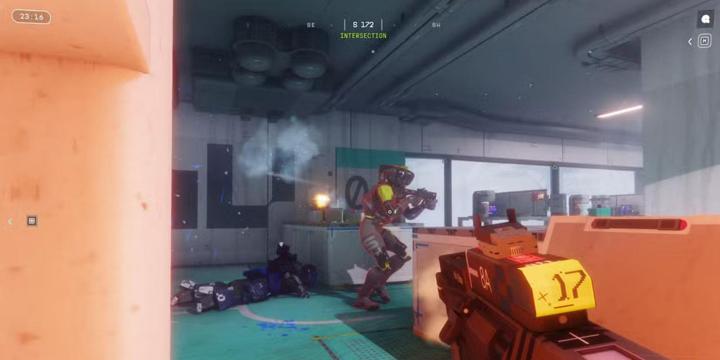
Stock Up Early
Always make sure to collect plenty of ammo, healing items, and shields during your first few minutes in a run — running out of resources mid‑fight against both UESC bots and other crews is a quick way to lose.
Listen Closely for Combat Audio
Unlike some shooters where you can rely on visual cues alone, Marathon makes good use of audio. Footsteps, weapon fire, and movement sounds often betray enemy positions before you actually see them.
Choose Your Zones Wisely
Certain areas like Perimeter (geared toward beginners) have lighter PvP traffic, while zones like Dire Marsh draw more competitive encounters — heading to the latter will give you more action if that's what you're after.
4. Contributing to a Better Game
Because this is a playtest event, Bungie is actively monitoring feedback and inviting players to report bugs via Discord and official forums. If you've encountered a specific glitch — especially one that's repeatable — providing a clear report helps the developers address it before full launch.
For those who want a cost-effective start, there are cheap Marathon game keys for sale at z2u.com, letting you join the Server Slam with better gear and characters without breaking the bank.
Final Thoughts
Marathon's Server Slam is a mix of thrilling combat potential and rough edges that still need polishing. Issues like mouse cursor bugs and server errors can be frustrating, but they're also the reason this testing period exists — helping shape a more stable launch version. By trying the workarounds above, taking strategic in‑game decisions, and being patient with the technical bumps, you'll get the most out of the experience and be better prepared for when the full game arrives.









SUPPORT
LEGAL
Policies






 USD ($)
 English
  Help Center