


Ultimate Epic Battle Simulator 2

Ultimate Epic Battle Simulator 2 (UEBS2) is a massive sandbox battle simulator where you can create and run astounding conflicts between armies numbering in the tens of thousands — or even millions. The game focuses on spectacle and creativity rather than traditional strategy gameplay.
Whether you're brand new to the game or want to understand essential gameplay mechanics, this guide will walk you through everything from basic controls to advanced setup strategies.
For beginners who want to save money and energy, you can find cheap Ultimate Epic Battle Simulator 2 accounts at trusted marketplaces like Z2U to get started instantly.
Ultimate Epic Battle Simulator 2 Beginner Tips
1. Learn and Master the Controls
Ultimate Epic Battle Simulator 2's controls are simple but knowing them gives you much better camera and simulation control:
| Key | Function |
|---|---|
| WASD | Move camera in Spectator/RTS Mode |
| QE | Move camera vertically (Spectator) |
| Shift | Speed up camera movement |
| R | Enter/Exit RTS Mode |
| F | Possess a unit (take control) |
| C | Cinematic Camera Mode |
| P | Slow Motion Camera |
| Scroll Wheel | Cycle through God Powers |
| Left-Click & Drag | Select units (RTS mode) |
| Right-Click | Issue orders (RTS mode) |
▎Tips
Spectator movement keys let you pan around huge battlefields easily.
Switching to RTS mode (R) allows you to select and command armies in more detail than default simulation view.
2. Unit Placement & Army Setup
Before the fight begins, where and how you place your units can dramatically affect how the battle unfolds.
Drag and drop units onto the map in the setup screen.
Facing direction matters — units will advance in the direction they face when the battle starts.
Creating lines, formations, and flanks helps mimic real battlefield tactics even though Ultimate Epic Battle Simulator 2's AI is simple.
If you group all your units in one blob without thought, one powerful attack (like a God Power or nuke) can wipe them all out instantly — avoid clustering too tightly.
3. Understand Units & Unit Settings
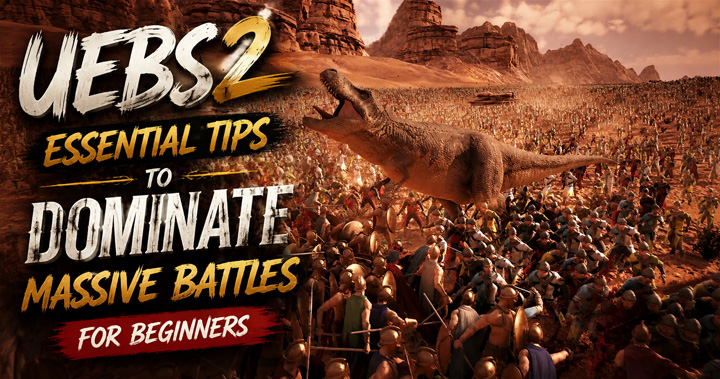
UEBS2 includes a large roster of distinct units in categories like Ancient, Medieval, Modern, and Fantasy. Common unit examples include Spartans, Romans, Samurai, Zombies, T‑Rexes, and more.
| Key Unit | Attributes |
|---|---|
| Health | How much damage a unit can take |
| Attack Damage | How much damage they deal |
| Attack Range | Distance at which they can fight (important for ranged units) |
| Block Chance | Chance to reduce incoming damage |
You can tweak these values when creating custom units. For example, giving a melee unit extra attack range lets them hit enemies before melee range — giving vast design freedom.
4. Fluids & Environmental Hazards
Fluids like water and blood in Ultimate Epic Battle Simulator 2 are dynamic. That means they behave like real fluid — they flow downhill, pool in low spots, and units can even drown in them.
Water slows and can submerge units — they can drown if it rises above their chest.
Blood can also act like a fluid (if enabled) and accumulate into dangerous pools.
▎Strategic Tip: You can use God Powers to create floods or tsunamis that sweep through battle, drowning units or pushing them into choke points.
5. Use God Powers to Control the Battlefield
God Powers let you manipulate the battlefield directly beyond the units you've placed:
| Shotgun Smite | Fires a rain of projectiles |
| Noah's Flood | Slowly floods the area with water |
| Tsunami | A massive wave that washes over troops |
| Nuke | Instantly annihilates everything in the blast zone |
| Tornado | Tosses units into the air and slams them around |
These can be used for spectacle or strategic advantage — clearing out large groups or turning a boring stalemate into an unforgettable battle.
6. Create Custom Units for Unique Scenarios
UEBS2 lets you customize units by altering their stats for incredible effects — like buffing a duck into a god‑tier bruiser or making a trooper shoot nonstandard projectiles.
Custom unit stats allow tweaking health, damage, range, and special attacks.
Experiment with wildly mismatched battles, like T‑Rex vs. Tank battalions or Roman Legion vs. Zombies.
This lets you create amusing or challenging hypothetical battles far beyond the preset unit list.
Alternatively, if you prefer to start without long-time waiting, you can buy UEBS2 account from Z2U, giving you access to units and customization options from the start.
7. Experiment with Maps & Hazards
Different maps include environmental hazards that can change how battles unfold:
Volcanic Islands — streams of lava can cut across armies.
Mountain Maps — water will flow downhill into valleys, affecting unit movement.
Desert or Island Maps — lack water but can still limit effective flanking routes.
Placing units near cliffs, boulders, or water sources adds unpredictability and cinematic chaos to fights.
8. The Sandbox Nature — No Traditional Win Condition
Ultimate Epic Battle Simulator 2 doesn't force goals like missions or campaigns. It's a sandbox simulator, meaning:
There's no “story mode” by default — focus is on creation and experimentation.
Outcomes aren't scored — battles play out based on unit stats and placement.
Your satisfaction comes from watching (or controlling) the epic clashes you set up.
Advanced Tips for Beginners
Start small: Begin with a few hundred units so you don't overwhelm your system or confuse yourself.
Test formations: Try lines, wedges, staggered groups — placement can change battle results dramatically.
Use RTS mode to issue orders midfight. While limited, it adds tactical control beyond simple simulation.
Experiment with mods: Mods can add new units, heroes, and fun actors to your sandbox battles.
Final Thoughts
Ultimate Epic Battle Simulator 2 is about creativity, chaos, and making your own fun. Unlike traditional strategy titles, the excitement doesn't come from mastery of complex mechanics — it comes from imagination and how you combine the tools and units the game offers.
With these beginner tips and mechanics explained, you'll be ready to set up incredible, memorable battlefield scenarios — whether it's an army of knights charging into a horde of orcs or a tidal wave crushing unsuspecting pikemen.









SUPPORT
LEGAL
Policies






 USD ($)
 English
  Help Center